What Are Core Web Vitals?
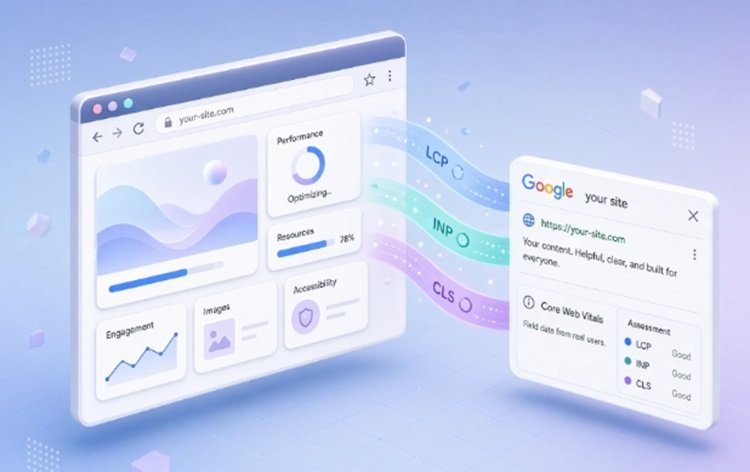
Core Web Vitals are the three metrics Google uses to measure how a real visitor experiences a page: how quickly the main content loads, how quickly the page responds when someone taps or clicks, and how much the layout jumps around while it loads. They sit inside Google’s broader page experience signals, and they are measured from actual visits recorded in Chrome, not from a single test run on a developer’s laptop.
For anyone doing technical SEO, core web vitals are less a checklist item and more a diagnostic: a page that fails them is telling you something specific is broken in the delivery chain, the JavaScript execution, or the layout and each of those has a different fix.
The Three Core Web Vitals Metrics, Explained
Each of the three Core Web Vitals metrics is scored on the same scale Good, Needs Improvement, or Poor but they measure completely different things. In short, they cover LCP, CLS, INP: loading, stability, and responsiveness.
Largest Contentful Paint (LCP)
LCP measures how long it takes for the largest visible element, usually a hero image, a banner, or a block of text to render on screen. A good LCP is under 2.5 seconds. Slow LCP is almost always caused by a slow server response, render-blocking CSS or JavaScript, or an unoptimized hero image that loads too late in the page’s request chain.
Interaction to Next Paint (INP)
INP measures responsiveness across the entire visit every tap, click, and keypress not just the first one. It replaced First Input Delay (FID) in Google’s metric set in March 2024, so any resource still referencing FID as a live Core Web Vital is out of date. A good INP score is under 200 milliseconds. Heavy third-party scripts, large JavaScript bundles, and long main-thread tasks are the usual culprits.
Cumulative Layout Shift (CLS)
CLS measures visual stability: how much visible content shifts position unexpectedly as a page loads. A good CLS score is under 0.1. It’s typically caused by images or ads without reserved dimensions, web fonts that swap in and reflow text, or content injected above existing elements after the initial render.
| Metric | Measures | Good threshold | Common cause of failure |
|---|---|---|---|
| LCP | Loading speed | Under 2.5s | Slow server response, render-blocking resources, unoptimized hero image |
| INP | Responsiveness | Under 200ms | Heavy JavaScript, long main-thread tasks, bloated third-party scripts |
| CLS | Visual stability | Under 0.1 | Images/ads without reserved space, late-loading web fonts, injected content |
How Google Actually Scores Core Web Vitals
This is the part most guides skip, and it’s the part that actually explains why a page can “feel fast” and still fail. Google doesn’t score core web vitals from a single test. It uses the Chrome User Experience Report (CrUX) real, anonymized data from Chrome users measured at the 75th percentile over a rolling 28-day window.
In practice, that means at least 75% of real visits to a page need to hit the “good” threshold for a metric before that page passes it. A page can look perfect in a lab test like Lighthouse and still fail in the field if a quarter of real visitors, often on slower phones or weaker mobile networks, have a worse experience. When URL-level data doesn’t exist yet, Google can fall back to URL-group or site-wide (origin) data, which is why a brand-new page sometimes inherits the score of similar pages on the same site.
Why Core Web Vitals Matter for SEO
Google has confirmed page experience, including core web vitals, as a ranking signal. It won’t outrank thin or irrelevant content, but in a competitive SERP where two pages match on relevance and authority, the faster, more stable page has an edge. That’s the essence of core web vitals SEO: treating performance as a tie-breaker that compounds across every page on a site, not a one-time fix.
There’s also a business case that has nothing to do with rankings. A slow LCP or a jumpy layout costs conversions directly; visitors abandon forms, mis-tap shifted buttons, or simply leave before the content they came for even appears.
How to Check Your Core Web Vitals
- Google Search Console the Core Web Vitals report groups your own URLs by status (Good, Needs Improvement, Poor), which is the fastest way to see which templates are failing at scale.
- PageSpeed Insights shows both field data (real CrUX scores, when available) and a lab-based Lighthouse audit with specific diagnostics for a single URL.
- Chrome DevTools useful for reproducing layout shifts and long tasks locally while you test a fix.
- The CrUX dashboard or API useful for pulling historical trend data across a whole property.
How to Fix Core Web Vitals: A Prioritized Workflow
Fixing core web vitals is a template-level exercise, not a page-by-page one CrUX groups similar URLs together, so a fix applied to a shared header, template, or component usually moves every page built on it. Work through fixes in this order.
Step 1: Find Out Which Metric Is Actually Failing
Open Search Console’s Core Web Vitals report before touching any code. It’s common to assume LCP is the problem when INP or CLS is actually driving the failure fixing the wrong metric wastes a sprint.
Step 2: Fix the Metric in the Poor Band First
If more than one metric is failing, address whichever one sits in “Poor” before touching one that’s merely “Needs Improvement.” A page only passes once LCP CLS INP are all in the good range simultaneously, so partial progress on an already-borderline metric won’t move the overall status.
Step 3: Fixing LCP
- Move the hero image or key text block earlier in the HTML and preload it with a <link rel=”preload”> hint.
- Serve images in modern formats (WebP/AVIF) at the correct display size, and compress them properly.
- Reduce server response time with caching, a CDN, or a faster hosting tier especially important for visitors in the UAE being served from origin servers hosted elsewhere.
- Remove or defer render-blocking CSS and JavaScript above the fold.
Step 4: Fixing INP
- Break up long JavaScript tasks so the main thread stays free to respond to input.
- Audit third-party scripts (chat widgets, ad tags, analytics) and remove or lazy-load anything not essential to the initial interaction.
- Use code-splitting so pages only load the JavaScript they actually need.
- Debounce expensive event handlers tied to scrolling, typing, or resizing.
Step 5: Fixing CLS
- Set explicit width and height attributes (or aspect-ratio in CSS) on every image, video, and embed.
- Reserve space for ad slots before they load, rather than letting content reflow around them.
- Use font-display: optional or swap carefully, and preload key web fonts to reduce layout jumps from font swapping.
- Avoid inserting new content above existing content unless it’s in direct response to a user action.
Step 6: Re-test on the Same 28-Day Window
Because CrUX rolls over a 28-day window, a fix deployed today won’t fully reflect in field data for several weeks. Re-check Search Console on that cadence rather than judging a fix from a single PageSpeed Insights run the next morning.
Common Mistakes When Fixing Core Web Vitals
- Chasing a perfect Lighthouse (lab) score while ignoring the field data Google actually uses to rank pages.
- Fixing one page instead of the shared template, so the CrUX group score barely moves.
- Installing a performance plugin without auditing what’s actually slow plugins can mask a symptom without touching the cause.
- Judging results a day after deployment instead of waiting out the rolling data window.
Core Web Vitals for UAE-Based Websites
For sites targeting audiences in the UAE, hosting location and network conditions deserve extra attention. A large share of regional traffic is mobile, often on cellular networks with more latency variance than fixed broadband, which makes LCP and INP more sensitive to unoptimized assets and heavy scripts. Serving key markets from a CDN edge node close to the region, and testing on mid-range Android devices rather than only flagship phones, gives a more realistic read on how local visitors actually experience a page which is exactly the population core web vitals SEO is meant to reflect.
FAQs
1. What are Core Web Vitals in simple terms?
They are three Google metrics LCP, INP, and CLS that measure how fast a page loads, how quickly it responds to input, and how stable its layout is for a real visitor.
2. What is a good Core Web Vitals score?
LCP under 2.5 seconds, INP under 200 milliseconds, and CLS under 0.1, all measured at the 75th percentile of real visits.
3. Do Core Web Vitals really affect SEO rankings?
Yes, they’re a confirmed part of Google’s page experience signals, though they act more as a tie-breaker between similarly relevant pages than a standalone ranking booster.
4. What replaced First Input Delay (FID)?
Interaction to Next Paint (INP) replaced FID as the official responsiveness metric in March 2024. Any source still listing FID as a current Core Web Vital is outdated.
5. How often does Google update Core Web Vitals data?
Field data in the Chrome UX Report (CrUX) updates on a rolling 28-day window, so a fix typically needs several weeks before it’s fully reflected in Search Console.