A technically impressive website can still underperform if search engines cannot reliably discover, render, understand, and index its important pages. Technical SEO addresses that infrastructure: files, links, status codes, templates, server responses, and page-experience signals that determine whether strong content can enter and compete in search.
This guide gives you a practical way to diagnose problems, prioritise fixes, and verify the result. It is written for teams working on websites in the UAE as well as international sites serving English and Arabic audiences.
What technical SEO means
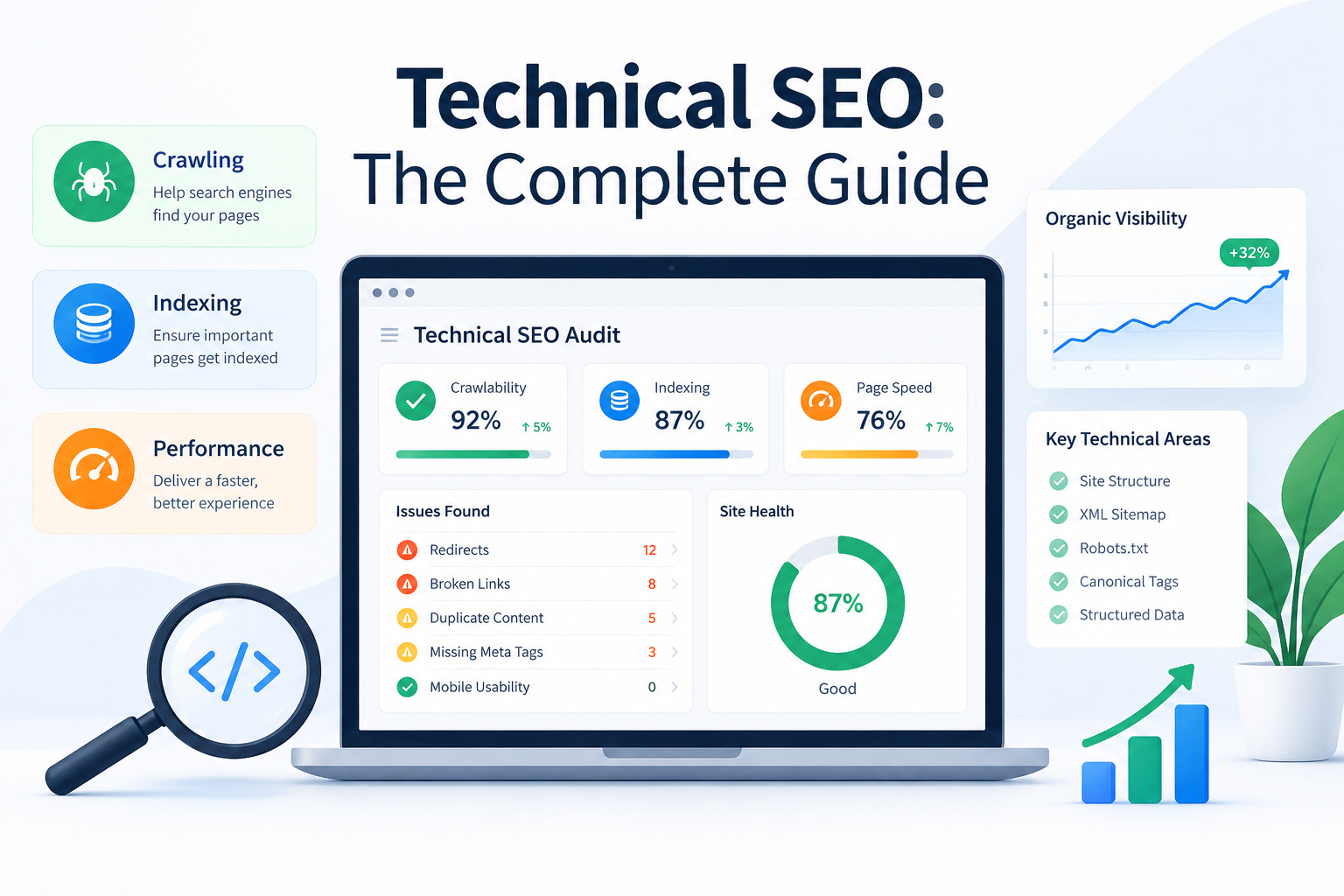
Technical SEO is the practice of improving a website’s technical foundation so search engines can crawl pages, render their content, understand relationships, and decide which URLs belong in the index. It is not a substitute for useful content or authoritative links; it removes avoidable barriers that can prevent those assets from producing visibility.
The work spans four connected layers: discovery, access, interpretation, and experience. A page may be linked but blocked, crawled but marked noindex, indexed with the wrong canonical, or accessible yet slow on mobile. A good audit finds the failure point instead of applying the same checklist to every URL.
How search engines process a page
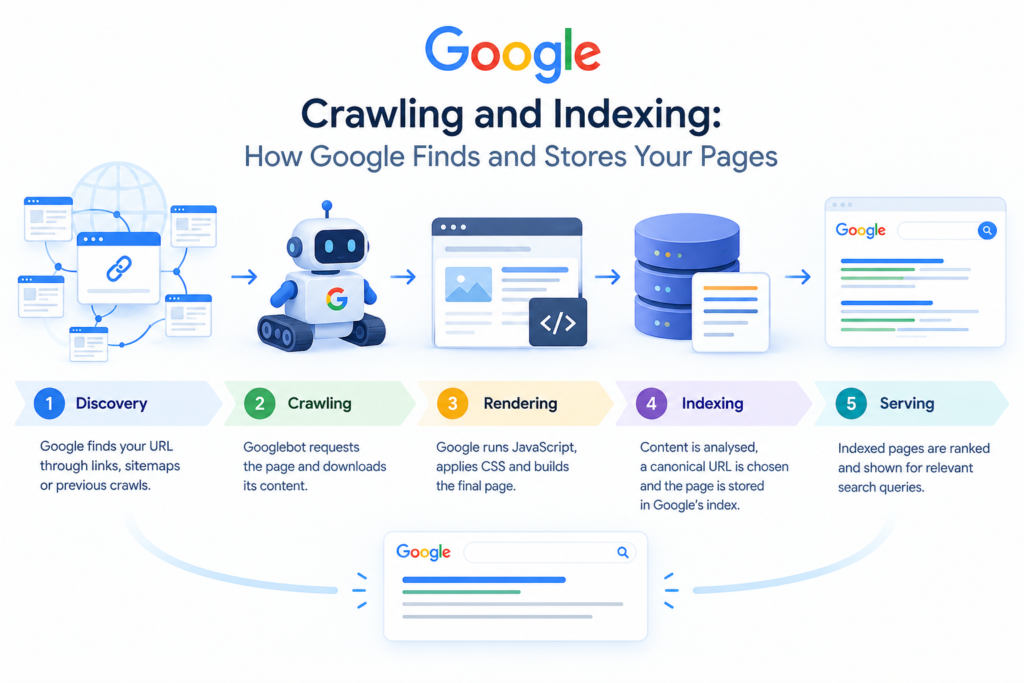
Search engines discover URLs through links, sitemaps, and known references. They request the resource, process HTML and assets, render JavaScript when necessary, evaluate signals, and store eligible content in an index. Search results are generated from that index, not from a live scan of every page for every query.
This sequence explains why priorities matter. If an important service page returns a 5xx error or carries an accidental noindex directive, rewriting its copy will not solve the immediate problem. A minor warning on a low-value parameter URL may not deserve developer time before a broken revenue template.
The technical SEO audit framework
Crawlability
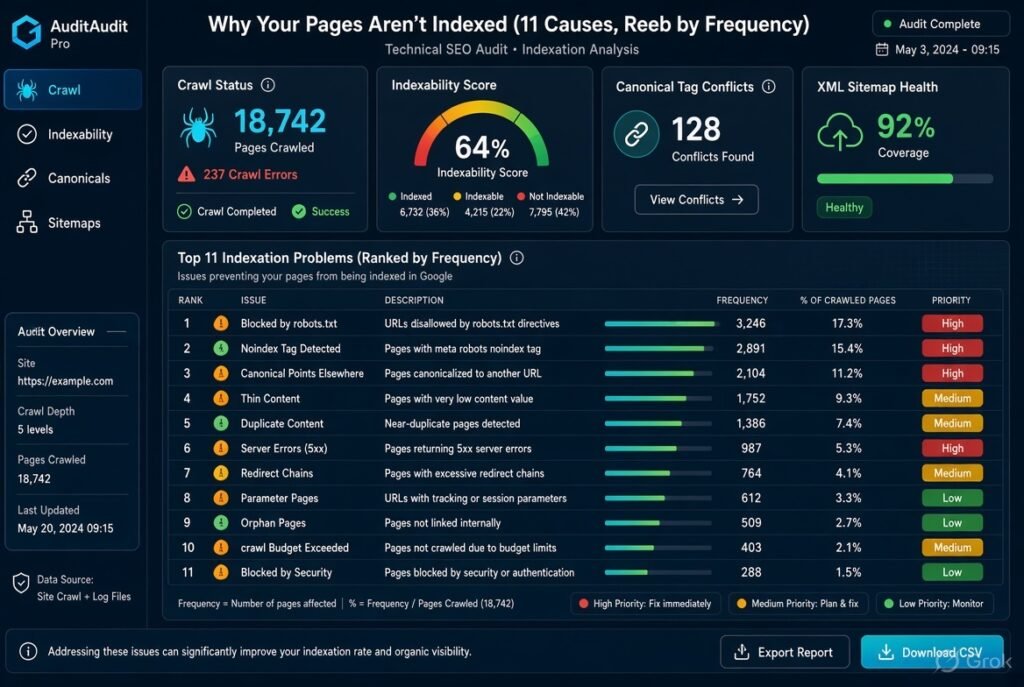
Crawlability asks whether a search engine can reach the URLs and resources that matter. Review internal links, XML sitemaps, robots.txt rules, server availability, redirects, and crawl traps such as endless filters or calendar parameters. Google recommends robots.txt for crawl control and sitemaps for discovery; robots.txt should not be used as an indexing control.
Check that important CSS, JavaScript, images, and HTML are accessible to an anonymous crawler. Use URL Inspection and a crawler that can render JavaScript to compare source HTML with rendered output.
Indexability and canonicalization
Indexability asks whether a discovered page is eligible to appear in search. Check meta robots directives, X-Robots-Tag headers, canonical tags, HTTP status codes, duplicate URL variants, thin pages, and Google-selected canonicals in Search Console. A canonical is a preference signal, not a guarantee that Google will choose that URL.
Keep the index focused on valuable, distinct pages. A faceted ecommerce URL may create no meaningful unique experience, while a location page with useful local information may deserve indexation. Make the decision at template level, then test representative URLs.
Site architecture and internal links
A clear architecture helps users and crawlers understand importance and topical relationships. Organise pages into logical services, categories, resources, and detail pages. Link important commercial pages from relevant high-authority pages using descriptive anchors rather than generic “click here” text.
Look for orphan pages, excessive click depth, conflicting navigation paths, and links that rely only on JavaScript events. Breadcrumbs can reinforce hierarchy when they reflect the visible path. A UAE SEO site might separate services from supporting guides and create clear routes to location-specific pages without duplicating near-identical copy.
Performance and Core Web Vitals
Performance is both a user-experience concern and a technical quality signal. Monitor the three current Core Web Vitals: Largest Contentful Paint (LCP), Interaction to Next Paint (INP), and Cumulative Layout Shift (CLS). Use field data in Search Console where available, then investigate templates with PageSpeed Insights and browser tools.
Typical improvements include appropriately sized images, less unused JavaScript, deferred non-critical code, faster server response, reserved space for images and ads, and fewer third-party scripts. Confirm that real users experience faster loading and stable interaction.
Mobile, HTTPS and accessibility
Google uses mobile-first indexing, so the mobile version should contain the same essential content, links, metadata, and structured data as desktop. Test navigation, forms, tap targets, readable text, overlays, and horizontal overflow on real devices.
Use HTTPS consistently across the canonical domain, assets, redirects, sitemap entries, and internal links. Treat accessibility as a quality requirement: semantic headings, labels, keyboard access, useful link text, and meaningful alternative text improve usability and clarify page structure to machines.
JavaScript rendering
JavaScript is not automatically an SEO problem. Risk appears when critical content, links, metadata, or product information exists only after a script runs, fails, or depends on a blocked endpoint. Compare server-rendered HTML, rendered DOM, and the page users see.
For important pages, prefer progressively enhanced HTML. Test loading states, consent mechanisms, infinite scroll, client-side routing, and error handling. If a framework changes URLs without producing crawlable links or stable responses, involve developers before scaling the template.
Structured data
Schema markup gives search systems explicit information about page type and entities. Use only vocabulary that matches visible content, such as Article, BreadcrumbList, Organization, Product, Service, or LocalBusiness where appropriate. Validate syntax and eligibility, but do not promise a rich result: structured data makes a page eligible; it does not guarantee special treatment.
International and UAE considerations
For a UAE business, decide whether the site serves one English-language market, Arabic and English audiences, or several country-language combinations. Use consistent regional URLs and implement hreflang only when equivalent alternatives exist and link back to one another. Check Arabic templates for right-to-left layout, translated navigation, metadata, structured data, and internal links not merely translated body copy.
A practical technical SEO checklist
Use this technical SEO checklist after establishing business priorities. Mark each item as pass, fail, not applicable, or needs investigation, and record the URL pattern, owner, severity, and validation method.
- Confirm the preferred HTTPS host and redirect alternate protocol or host versions.
- Review robots.txt for accidental blocks and confirm it is available at the root.
- Ensure XML sitemaps contain canonical, indexable, status-200 URLs and are submitted in Search Console.
- Check important templates for accidental noindex directives and incorrect canonical tags.
- Find 4xx, 5xx, redirect chains, redirect loops, soft 404s, and broken internal links.
- Compare the crawlable link graph with the sitemap to find orphaned or unexpectedly excluded pages.
- Test rendered HTML for JavaScript-dependent content, links, titles, canonicals, and structured data.
- Review mobile layout, Core Web Vitals, image delivery, third-party scripts, and server response time.
- Validate schema against visible content and remove stale or misleading properties.
- For multilingual sites, audit hreflang return links, language codes, canonicals, and translated templates.
- After implementation, validate with URL Inspection, live tests, recrawls, logs, and performance reports.
Tools and validation workflow
Google Search Console shows indexing, sitemap, enhancement, performance, and crawl information; Bing Webmaster Tools provides a second search-engine perspective. Google recommends URL Inspection for checking how it accesses and renders resources.
Use a crawler such as Screaming Frog, Sitebulb, or a comparable platform for URL patterns. Use PageSpeed Insights and Chrome DevTools for performance, a rich-results validator for structured data, and server logs when crawl behaviour or large-site prioritisation is unclear. Confirm consequential fixes in first-party reports and with a fresh crawl.
How to prioritise fixes
Score each issue against four questions: Does it block indexation? How many valuable URLs does it affect? Is there evidence of lost traffic or conversions? How difficult and risky is the fix? A template-level noindex error on revenue pages normally outranks a minor warning on an unimportant archive.
| Priority | Typical issue | First action |
| Critical | Important pages blocked, noindexed, returning 5xx, or replaced by the wrong canonical. | Fix the template or server rule, then inspect and recrawl. |
| High | Broken internal links, redirect chains, missing sitemap coverage, major mobile or performance problems. | Fix the shared cause rather than editing URLs one by one. |
| Medium | Duplicate metadata, weak architecture, orphan pages, inconsistent schema. | Improve the template and add monitoring. |
| Conditional | Crawl budget, log analysis, advanced rendering, AI crawler policies. | Use when site size, complexity, or business goals justify the work. |
Common mistakes
- Blocking a URL in robots.txt and expecting it to disappear from the index; use noindex or access control for that purpose.
- Adding canonical tags that point every page to the homepage.
- Submitting non-canonical, redirected, noindex, or error URLs in the sitemap.
- Treating a perfect lab score as more important than field performance and conversion paths.
- Launching a redesign without a URL inventory, redirect map, crawl comparison, and post-launch monitoring.
- Creating schema for information that is not visible or accurate.
- Assuming AI-specific files or directives replace accessible, structured HTML.
When to use professional SEO support
DIY checks work well for a small, stable website with a simple CMS. Professional support becomes more valuable when the site has thousands of URLs, multiple languages, JavaScript rendering, ecommerce filters, international domains, a redesign, or a sharp unexplained traffic decline.
One Conversion can turn the audit into an implementation roadmap: identify high-impact defects, coordinate with developers, validate fixes, and connect technical improvements to qualified leads or sales. The goal is not a longer issue list; it is to make the right pages discoverable, understandable, usable, and commercially effective.
FAQs
1. What is technical SEO?
Technical SEO improves website infrastructure so search engines can discover, crawl, render, understand, and index important pages.
2. Why is technical SEO important?
It removes technical barriers that can prevent useful content and links from generating visibility, while improving reliability and user experience.
3. How often should a technical SEO audit be performed?
Run a baseline before major changes, monitor critical reports continuously, and perform a deeper review after migrations, platform changes, or significant traffic shifts.
4. What is the difference between robots.txt and noindex?
Robots.txt controls whether crawlers may request a resource. Noindex tells a crawler that a page should not be included in search results; it generally must be accessible for the directive to be seen.
5. Do Core Web Vitals guarantee higher rankings?
No. They measure important page-experience aspects, but meeting them does not guarantee rankings.